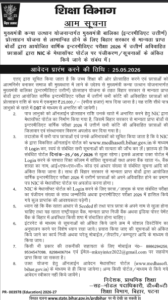
बिहार सरकार की मुख्यमंत्री कन्या उत्थान योजना के तहत स्नातक (UG) उत्तीर्ण छात्राओं के लिए ऑनलाइन आवेदन प्रक्रिया 15 जून 2026 से शुरू कर दी गई है। इस योजना के अंतर्गत पात्र छात्राओं को ₹50,000 की प्रोत्साहन राशि प्रदान की जाएगी। यह राशि सीधे लाभार्थी के बैंक खाते में DBT (Direct Benefit Transfer) के माध्यम से भेजी जाएगी।
| Bihar UG Scholarship 2026 – All Details |
|
| Education Qualification | BA/B.Com/B.Sc |
| Scholarship Name | UG(BA/B.Com/B.Sc) Passed Scholarship |
| Apply Strat from |
15th June 2026 |
| Official Website | medhasoft.bihar.gov.in |
Necessary Documents
- Mobile Number
- Email I’d
- Graduation and Marksheet & Degree Certificate
- Graduation Admit Card
- Passport Size Photo
- Account Details
- Cast Certificate
- Residence Certificate
- Income Certificate
| Join Our WhatsApp Channel | Follow Us |
| Important Link | |
| Check Scholarship Name List | Check Status |
| Apply Now | Apply Now |
| Official Website | Visit Now |
How to Apply for Bihar UG Scholarship 2026? (Step-by-Step Process)
Eligible female graduates can apply online for the Mukhyamantri Kanya Utthan Yojana by following these simple steps:
Step 1: Visit the Official Portal
Go to the official Mukhyamantri Kanya Utthan Yojana scholarship portal.
Step 2: Check Eligibility
Click on the “Student Registration” or “Apply Online” option and verify your eligibility using your university details.
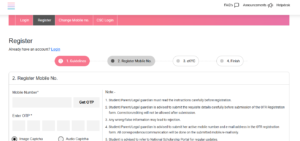
Step 3: Register Yourself
Enter the required information such as:
-
Student Name
-
University Registration Number
-
Mobile Number
-
Aadhaar Number
-
Email ID (if available)
Step 4: Complete OTP Verification
Verify your mobile number and email address through the OTP sent to your registered contact details.
Step 5: Fill the Application Form
Carefully enter all personal, academic, and bank account details as required in the application form.
Step 6: Upload Required Documents
Upload scanned copies of the following documents:
-
Aadhaar Card
-
Graduation Marksheet
-
Graduation Certificate
-
Bank Passbook
-
Passport Size Photograph
Step 7: Review the Application
Check all entered information carefully before final submission to avoid errors.
Step 8: Submit the Application
After verifying all details, click on the “Submit” button to complete the application process.
Step 9: Download the Acknowledgement Receipt
Download and save the application receipt or acknowledgment slip for future reference.
Step 10: Track Application Status
Applicants can log in to the portal anytime to check their application status, verification progress, and payment updates.
Important Note
Make sure that your bank account is Aadhaar-linked and all uploaded documents are clear and valid. Incorrect information may lead to rejection of the application.